I’ve been extra busy over the last couple of weeks (if you haven’t gathered from the relatively slow rate of posting), but that hasn’t stopped me from preparing for the annual Off on a Tangent election coverage. Since 2004, I have made formal political endorsements in every election in-which I am eligible to vote. I plan to post the official 2011 Off on a Tangent endorsements next week.
Though overshadowed in the media by the 2012 presidential election, the 2011 elections in Virginia are very important and deserve the full attention of the people of the Commonwealth. The entire General Assembly stands for election this year (Senate and House of Delegates), as do our local Boards of Supervisors, School Boards, and most of our local constitutional officers including Commonwealth’s Attorneys, Sheriffs, and Treasurers. As tempting as it might be to look to the more glamorous national elections—which are still more than a year away—we need to stay focused. These state and local officials often have much much real-world impact on our day-to-day lives than anybody at the federal level.
In addition to these endorsements, I intend to provide live election night coverage from approx. 7pm until midnight on 11/08/2011. This will include results for all races in which I’ve made endorsements and a feed of any relevant local, state, or national news that might come up. I project winners based on my own method that includes analysis of media reports, exit polling, and official returns. I have been known to occasionally call an election winner correctly before any mainstream media outlet does, if the data supports it.
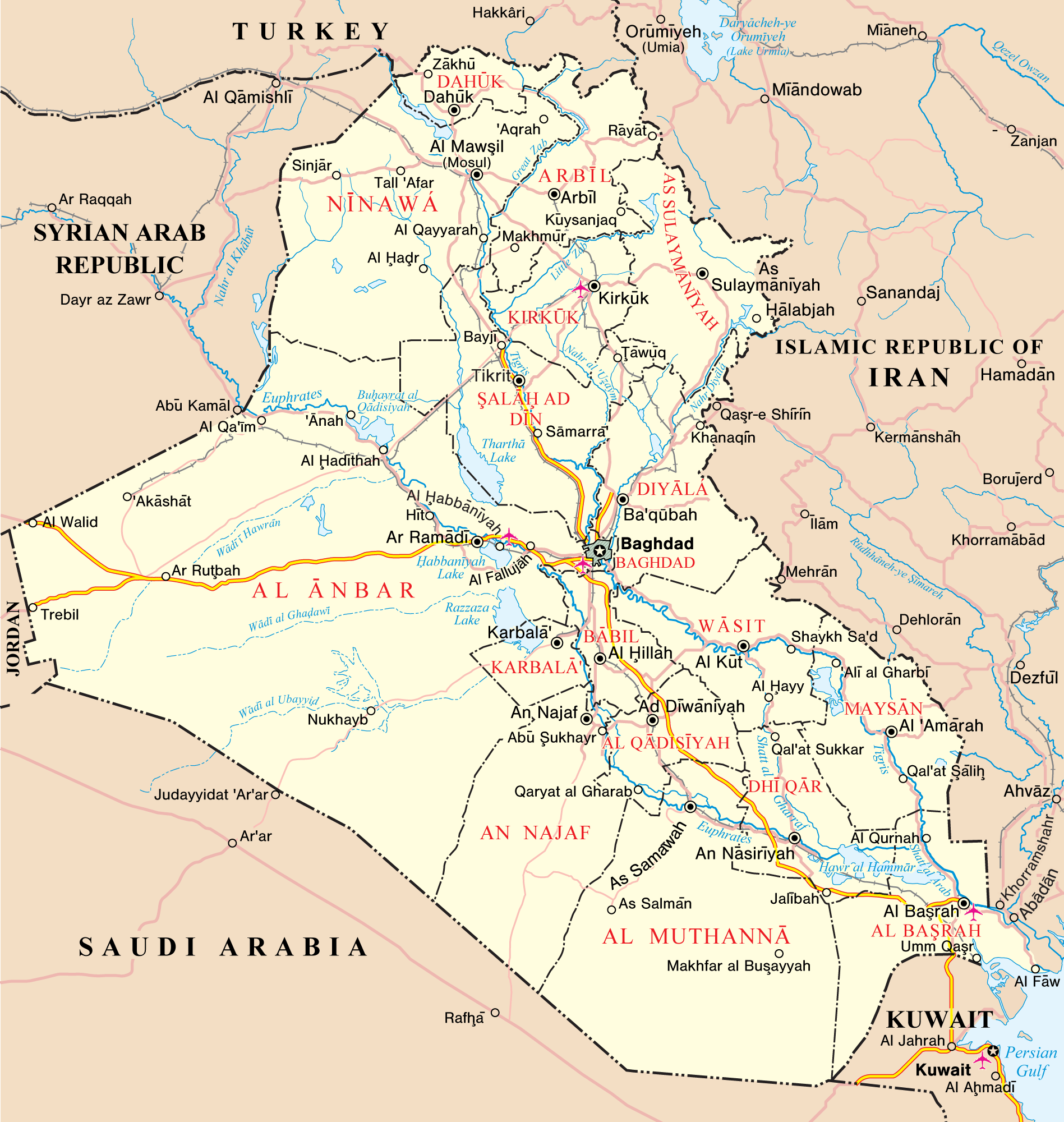
We need to take an honest, dispassionate, rational look back at the War in Iraq.
During George W. Bush’s (R) presidency, no other issue incited the kind of vitriolic rage that Iraq did. It has since become “common knowledge” that our involvement there was, as the Eagles put it in the title track of their 2007 album Long Road Out of Eden, “a bloody stupid waste.” But many of the “facts” people seem to remember about the war aren’t even true. We must untangle the myths and reevaluate our preconceptions.
There’s plenty of room to disagree about whether the Iraq War was justified or right. As long as your opinion isn’t based on the falsehoods described below, I respect it. But at least know what you’re talking about. Don’t believe the mythmakers. Many of the same people and institutions who lied to you about practically everything over the last ten years were lying to you about Iraq a decade earlier too—but not in the way you might think.
It is true that I supported the Iraq war at its inception; you can find plenty of evidence for that on this website. You might accuse me of confirmation bias or cherry-picking evidence to support my preconceived position. I try to avoid that, but I’m not perfect. I have blind spots. Contact me and tell me about them. If you make a good, rational, intelligent argument, and give me permission to use it, I might add it below as a rebuttal.
I hate war. It hurts people. It undermines their rights to life, liberty, and property. I wish it was never necessary, but sometimes it is. We are a fallen, contradictory species. The human right to keep and bear arms, for example, is indispensable because sometimes the use of deadly force is the only way to protect life. War works the same way.
The Palestinian National Authority (PNA), the official government of Palestine (which controls the West Bank, but has essentially no power whatsoever in Hamas-dominated Gaza), will be petitioning the United Nations General Assembly for recognition as an independent state. The United States and Israel oppose the PNA’s move, but I figure it’s a good idea. Give ’em the recognition they want. Why not?
With Palestine as a recognized, sovereign state, Israel would have to do in the West Bank what they have already done in Gaza: withdraw completely. Asking Israel to do this flies afoul of the basic precepts of international law. All else being equal, Israel has every right to the West Bank and Gaza territories, since Israel was attacked by its neighbors and seized those territories fair-and-square in the war that resulted. Never in the history of the world has the country that got attacked been asked to return the territories it won in the war that followed. But Israel supposedly wants a two-state solution too, so let’s hold ’em to it.
But giving Palestine the gift of formal recognition as a sovereign state comes with a big catch for the PNA, which is why I would advise them to be careful what they wish for. As an independent state, the PNA will be expected to be responsible for securing itself (since Israel will no longer have authority), for defending itself, and for preventing its people from committing acts of war against neighboring countries.
When Hamas launches rockets from ‘occupied’ Gaza (which hasn’t actually been occupied since 2005), it’s technically an internal Israeli matter. As such, Israel’s military response gets characterized as wanton criminal destruction akin to, say, Muammar Gaddafi’s attacks on his own Libyan people. I disagree with this characterization for a long list of reasons, but I can at least see the logic. By neutral outside judgment, without the benefit of historic context, the people of Palestine are Israeli citizens who were born and raised in Israeli territory. By that standard, they are oppressed; they have no say in Israeli government.
But when the Palestinian territories become an independent, sovereign territory—the ‘two state solution’ everybody supposedly wants—things change. Hamas’s rocket attacks on their Israeli neighbors would stop being an internal matter. They could no longer be characterized as an ‘oppressed people attacking their oppressors.’ No, the whole world would have to admit that they are what they really are: acts of belligerent, unjustified war that target innocent civilians.
Those of us who have studied the history of the Israeli/Palestinian conflict already know this. With a formally recognized, sovereign Palestine, everybody else will have to admit it too. So I urge the PNA to go for it, and I urge the whole world community—us included—to support them in their bid for independence. And afterwards, I urge the world community to handle Palestinian attacks on Israeli civilians the same way they would handle any other sovereign nation attacking its neighbors: with decisive, justified retaliation.
Now that No-Nonsense Weather for HP WebOShas been officially discontinued, thanks to Hewlett-Packard’s stunning mismanagement of the platform, it’s time to look to the future. My earlier plan had been to port the existing NNW app to PhoneGap, a cross-platform API that would let me bring one HTML, CSS, and Javascript codebase to Android, iOS, WebOS, BlackBerry OS, and others. I got the app half-developed, and it worked okay, but it just didn’t feel ‘right.’
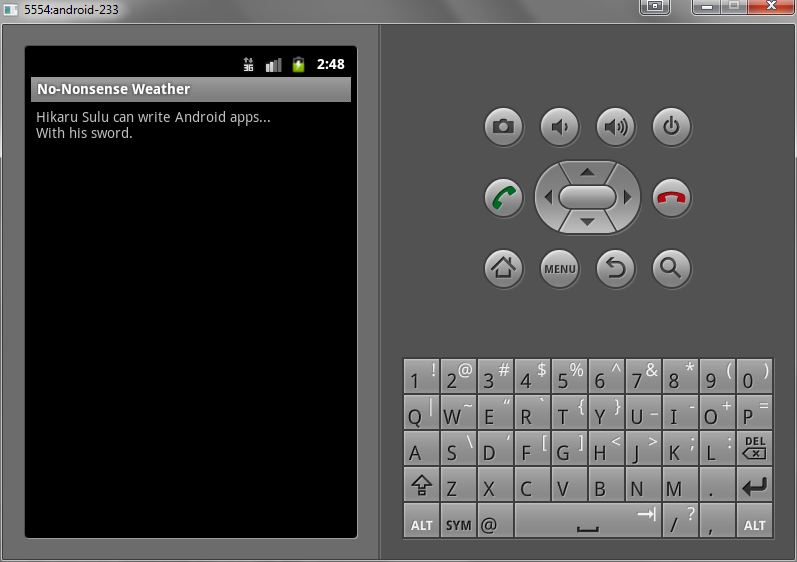
So, instead, I’m going to develop a native Android app. Depending on how successful the final product is, I’ll consider making versions for other platforms. As you can see by the screenshot to the right, I’ve done my obligatory ‘hello world’ app . . . my first, tentative steps into the world of an Android developer.
Obviously this is very early in the development process, but there are a few things I know already.
First, the bad news: The app, unlike its defunct WebOS cousin, will not be free. I don’t know how much it will cost yet (or if it’s feasible to offer a free, ad-supported version), but I have to get some money out of this to cover the costs of getting into the Android market, to fund access to a commercial weather API, and to compensate myself for the time it’ll take to build it.
But hopefully the good news will outweigh the bad. By using a commercial (pay) weather API, I’ll be able to offer the app world-wide, and provide you with weather info wherever you travel (assuming you have data access). The WebOS version used a free National Weather Service data source, which only provided weather data within the United States. I’ll also be able to provide real-time current conditions, severe weather alerts (that actually alert you), and who knows what else . . . and development should be easier, since whatever API I end up going with will be well-documented and easy to use (I’m leaning strongly toward the Weather Underground API at the moment).
Anyway . . . nothing much to show yet, but I’ll let you know how it develops!
Unfortunately, my Kindle 2—which was my first e-reader—met its untimely demise when I, suffering from a 24-hour stomach bug, dropped it from a height of three or four feet onto a hardwood floor. The impact damaged the e-ink display; the top one or two inches quit working. I replaced it with a Kindle 3 (Wifi version), which retails for $139.
I’m not going to do a full review, since the Kindle 3 is functionally very, very similar to the Kindle 2 (which got the full Off on a Tangent review treatment). There are a few notable differences.
First, the Kindle 3 comes in a Wifi-only version (lacking the free ‘Amazon Whispernet’ wireless Internet), which is cheaper than its Whispernet-enabled kin. I saved the money and opted for the Wifi-only version. Amazon also sells a ‘special offers’ version for $114; in return for giving you a Kindle for $25 cheaper, you get ads on the screensaver and at the bottom of the home screen. I opted to spend the extra $25 and enjoy an ad-free Kindle. It also has twice the memory of its predecessor—4gb, which Amazon says is enough for 3,500 books—and the volume controls, headphone port, and power switch have all moved to the bottom next to the USB connector.
The Kindle 3 has the same-sized e-ink display as its predecessor, but Amazon has slimmed the device down around the edges (and removed the number row on the keyboard, which can now be reached through the ‘symbol’ key—not a big deal for the very limited typing you’ll do on the device). It is now 21 percent smaller and 17 percent lighter. The ‘next page’ and ‘previous page’ buttons on the right and left edges of the device are smaller and less responsive than those on the Kindle 2, but they are also much quieter and less conspicuous to press in a quiet room. You win some, you lose some.
The e-ink display itself, while the same 6″ size as that on the Kindle 2, is much crisper and easier to read. According to Amazon it has 50 percent better contrast than its predecessor, and the fonts are also ‘crisper [and] darker.’ The improvement is obvious. The Kindle 2 had a wonderful, easy-to-read display, but the Kindle 3’s is noticeably better. Page refreshes are also much faster—20 percent faster, according to the spec sheet. They aren’t lying. There are also more font options now—default (serif), condensed, and sans-serif; various sizes; and the ability to adjust line spacing and words-per-line settings.
The Kindle 3 still has the same ‘experimental’ features of its predecessor—a web browser and text-to-speech tool. The web browser is hugely improved, now based on the open-source Webkit engine instead of the antiquated NetFront engine. It displays websites just as well as any Android tablet or iPad, except in gray-scale with the slower e-ink refresh rate. It’s sufficient for reading articles on Wikipedia or news sites. The text-to-speech functions work the same as in the previous version, and in a brief test they seem to work just as well (but not noticeably better).
Lastly, I spent an extra $49.99 for the Kindle Lighted Cover. It is a leather cover, only slightly thicker than the Amazon leather cover for the Kindle 2, that comes with a built-in reading light (since the e-ink display is not lighted and works with natural ambient light). It’s a slick design that draws power directly from the Kindle itself (through the clips that attach it to the device). You pull the light out from the top-right of the case and it turns on automatically (if the Kindle is on). I tested it out last night and it worked wonderfully. It’s a worth-while accessory if you ever plan to read in low-light conditions.
All-in-all, a great device. I didn’t expect to buy a Kindle 3 (since I expected my Kindle 2 to last me a while longer; oops), but I’m quite happy with the upgrade. If you’re on the market for an e-reader, the Kindle is king . . . and with good reason. It’s a solid, simple, affordable e-reader backed by the expansive Amazon Kindle bookstore (which is its biggest advantage over its primary competitor, the identically-priced Barnes & Noble Nook).
Scott Bradford is a writer and technologist who has been putting his opinions online since 1995. He believes in three inviolable human rights: life, liberty, and property. He is a Catholic Christian who worships the trinitarian God described in the Nicene Creed. Scott is a husband, nerd, pet lover, and AMC/Jeep enthusiast with a B.S. degree in public administration from George Mason University.
X
Site Information
Off on a Tangent Website 26.0 “Sarah”
Theme: 26.0.83
Plugin: 6.0.171
Scribentes veritatem ab anno Domini MCMXCV
(Writing the truth since A.D. 1995)
Official Time:
Keyboard Shortcuts
Just type these sequences on the keyboard, or enter them in the search bar!